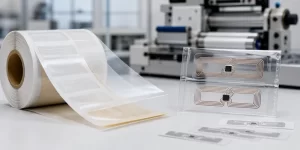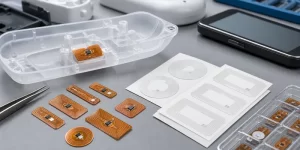
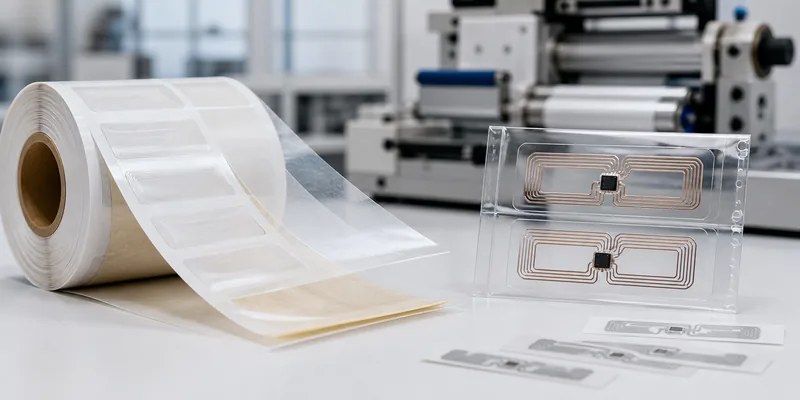
If you are comparing wet RFID inlay vs dry RFID inlay, the simplest difference is the adhesive. A dry RFID inlay is the functional RFID layer: chip, antenna, and substrate, normally supplied for further conversion. A wet RFID inlay adds adhesive and release liner, so it can be applied directly or converted into a smart sticker with less extra processing.
That construction difference changes the buying decision. Wet inlays usually suit fast labeling, sample trials, NFC stickers, and simple product marking. Dry inlays suit label converters, card makers, packaging manufacturers, and brands that need control over face material, adhesive chemistry, lamination, print surface, or final tag structure.
Quick Recommendation
| Buyer Situation | Better Starting Point | Why It Fits |
|---|---|---|
| You need a low-friction peel-and-stick RFID or NFC format. | Wet RFID inlay | It already includes adhesive and release liner. |
| You are producing printed RFID labels at scale. | Wet inlay or finished RFID label | It can be built into a label construction. |
| You need special adhesive, removable behavior, heavy lamination, or unusual label shape. | Dry RFID inlay | The converter can choose adhesive, face stock, liner, and structure. |
| You are embedding RFID into a card, wristband, hard tag, or custom product. | Dry RFID inlay | It gives more control before encapsulation or lamination. |
What Is a Dry RFID Inlay?
A dry RFID inlay is the core electronic part of a passive RFID or NFC tag. It contains the chip and antenna on a substrate, but it does not include a pressure-sensitive adhesive layer for direct mounting. ASIARFID describes an RFID inlay as a pre-laminated product with chip and antenna layers that can be made into different RFID tag types.
Dry inlays are often used by manufacturers and converters. A converter may add paper, PET, PVC, foam, special adhesive, liner, printable face stock, or other layers. That makes dry inlay useful for custom RFID labels, NFC packaging, RFID cards, wristbands, hang tags, and other finished transponders.
What Is a Wet RFID Inlay?
A wet RFID inlay starts with a dry inlay, then adds adhesive and release paper. ASIARFID’s wet inlay product information describes wet inlay as dry inlay plus adhesive layer and release paper. Because of this backing, it can work more like an adhesive RFID sticker before extra printing or finishing is added.
This is useful when the project needs fast attachment to packaging, marketing pieces, samples, inventory items, or consumer products. Buyers planning NFC campaign labels may compare wet inlays with finished NFC tags and labels. Buyers planning warehouse or asset labels may compare wet inlays with finished RFID stickers.
Wet RFID Inlay vs Dry RFID Inlay: The Real Buying Differences
1. Adhesive and Release Liner
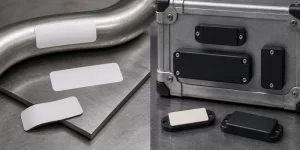
Adhesive is the first decision. Wet inlays already include it. Dry inlays do not. If the default adhesive is suitable for the target surface and handling process, wet inlay can reduce work. If the surface is curved, rough, oily, cold, hot, removable, or part of a special package, a dry inlay gives the label converter more room to choose a better adhesive system.
2. Conversion Workflow
Wet inlays shorten the path from inlay to applied tag. They can be used directly in simple cases or converted into smart labels. Dry inlays are more of a component. They normally need lamination, adhesive, face stock, or encapsulation before the final product is ready for use.
For a buyer, the question is who should control the final build. If your team only needs a working adhesive RFID layer, wet inlay may be enough. If your converter must match artwork, label thickness, liner behavior, dispensing equipment, and packaging material, dry inlay may be the cleaner starting point.
3. Printing and Branding
Wet inlays are not the same as finished printed RFID labels. A wet inlay may have a clear or plain face and may not give the best surface for readable text, barcodes, or graphics. If the visible label matters, ask whether you need a wet inlay, a printed smart label, or a custom RFID sticker construction. ASIARFID’s RFID sticker page notes that stickers generally include a surface layer, RFID inlay, adhesive layer, and bottom layer.
4. RF Performance and Final Mounting Surface
Do not choose inlay type based on adhesive alone. RF performance depends on chip, antenna design, frequency, reader power, reader antenna, tag orientation, mounting material, item contents, nearby metal or liquid, and final label layers. A wet inlay and a dry inlay using the same antenna can still behave differently after adhesive, face stock, lamination, or product packaging is added.
For UHF projects, carton material, product contents, stacking, and reader angle can change read consistency. For HF and NFC projects, smartphone tap position, antenna size, printed layer, and mounting surface often matter more than buyers expect.
Where Wet RFID Inlays Usually Fit Best
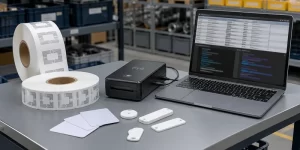
Wet RFID inlays are often practical for adhesive-backed NFC stickers, campaign labels, simple product marking, short-run trials, sample testing, and inventory pilots. They can help teams validate chip, antenna size, encoding, adhesive handling, and read behavior before moving to printed RFID stickers, anti-metal labels, custom NFC labels, or larger production.
Where Dry RFID Inlays Usually Fit Best
Dry RFID inlays fit projects where the inlay is one layer in a larger product. Label converters use them when they need to control adhesive, face stock, liner, die-cut shape, print process, or dispensing behavior. Manufacturers use them when RFID will be laminated or embedded into a card, wristband, hang tag, hard tag, or packaging component.
What To Prepare Before Ordering
- Target frequency: LF, HF/NFC, or UHF.
- Application surface: paper, plastic, glass, metal, textile, carton, or product packaging.
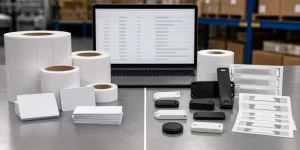
- Final format: dry inlay, wet inlay, printed RFID sticker, NFC label, card inlay, or embedded tag.
- Chip, memory, and encoding plan if your system already specifies them.
- Printing needs: logo, barcode, QR code, serial number, color artwork, or blank face.
- Test environment: real product, reader or phone model, mounting position, and packaging condition.
Why Work With ASIARFID
ASIARFID supplies RFID tags, RFID inlays, RFID stickers, NFC labels, RFID cards, wristbands, and custom RFID/NFC products. For inlay projects, the useful conversation goes beyond “wet or dry.” Buyers should confirm frequency, chip, antenna size, final material, adhesive needs, printing, encoding, and sample testing.
If you are unsure which format is right, send ASIARFID your application surface, target reader or phone, quantity plan, artwork needs, and encoding requirements. The team can help compare dry inlay, wet inlay, finished RFID sticker, and custom label options.
FAQ
Is a wet RFID inlay the same as an RFID sticker?
No. A wet inlay has adhesive backing, but a finished RFID sticker usually includes a defined face layer for printing, branding, handling, or protection.
Can a dry RFID inlay be used directly on an asset?
Usually it needs extra processing or attachment. A dry inlay does not include the adhesive backing normally required for direct mounting. It is better treated as a component for conversion, lamination, or embedding.
Which option is better for NFC product packaging?
Wet NFC inlay can work for simple adhesive tests and low-profile applications. If the label needs brand artwork, tamper evidence, special adhesive, or a specific printed face, a custom NFC label may be better.
Does wet inlay read better than dry inlay?
Not by default. Read behavior comes from the chip, antenna, frequency, reader setup, mounting surface, and final construction. Adhesive and face layers can affect the final result, so test samples on the real item.
Conclusion
Wet RFID inlay vs dry RFID inlay is mainly a question of final production control. Choose wet inlay when you want adhesive-backed handling and faster application. Choose dry inlay when the inlay will be converted, laminated, embedded, or paired with a custom adhesive and face material. For projects that need printing, branding, or ready-to-use tagging, compare both options with finished RFID stickers or NFC labels before ordering.